
If you run a local service business, there is one part of your online presence that you really cannot afford to ignore: your Google Business Profile.
When someone searches for a local plumber, electrician, window company, cleaner, accountant or other nearby service, Google doesn’t only show traditional website results. It can also display businesses prominently in Google Maps and local search results.
Your Google Business Profile (GBP) is what allows you to manage much of the information customers see there. And it’s completely free.
Yet we regularly come across businesses that have either never properly set theirs up or created one years ago and barely touched it since.
A good Google Business Profile should clearly tell Google and potential customers
- Who you are
- What you do
- Where you operate
- When you’re available
- What your customers think of you
- Why someone should choose you
So, where should you start?
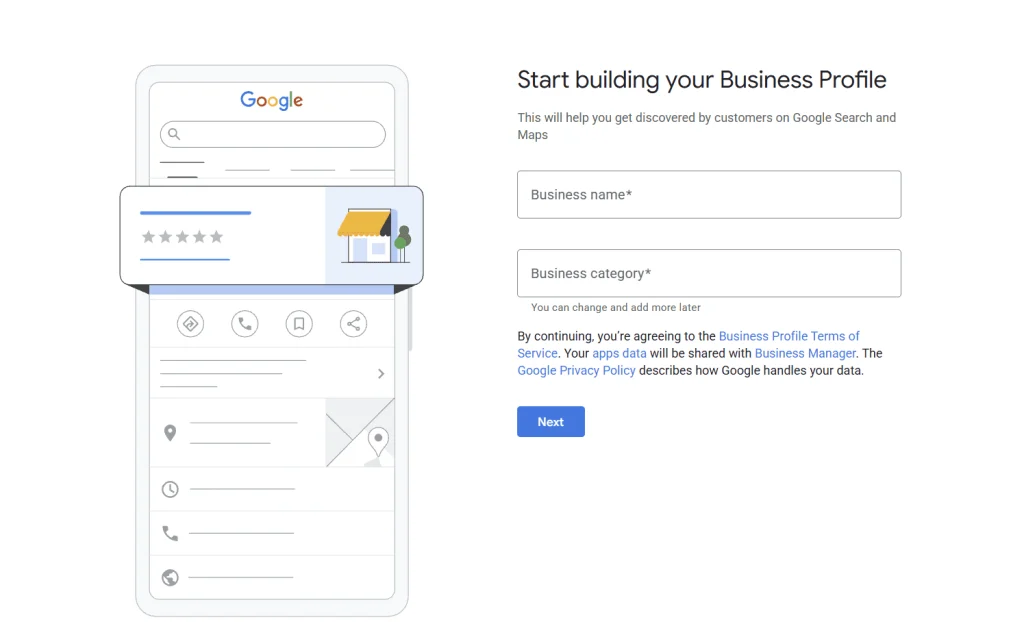
1. Claim or Create Your Google Business Profile
The first step is to establish whether your business already has a profile.
Search Google and Google Maps for your business name. You may discover that Google has already created a listing using information it has found elsewhere.
If one exists, you should claim it rather than creating another profile.
If it doesn’t, you can create a New Google Business Profile and follow Google’s verification process.
Google requires eligible businesses to have real-world contact with customers. Purely online businesses generally aren’t eligible for a Google Business Profile.
Once verified, you can manage the information displayed about your business across Google Search and Maps.
2. Address or Service Area: Get This Right First
A physical location customers visit
If you have a genuine shop, showroom, clinic or office where customers visit you during your advertised opening hours, you may be able to display the address publicly.
For example, this could include a dental practice, shop or showroom.
A service-area business
If you travel to your customers and don’t actually serve customers at your business address, you should normally operate as a service-area business (SAB).
A plumber working from home who visits customers throughout Hertfordshire is a good example.
You still provide Google with your genuine business location for verification purposes, but the address isn’t displayed publicly. Instead, you specify the areas you serve.
Google currently allows businesses to specify up to 20 service areas using towns, cities, postcodes and other areas.
Be realistic here.
Adding every county within 100 miles isn’t necessarily going to help you rank there. Your service areas should represent the places you genuinely serve.
A hybrid business
Some businesses do both.
For example, you may have premises where customers genuinely visit you but also send staff out to customers. In this situation, you may be eligible to show your address and specify your service area.
Be very careful with virtual offices
Don’t rent a cheap postal address simply because you want a Google Maps pin in a particular town.
Google specifically states that virtual offices aren’t eligible unless the location meets its requirements. Co-working locations also have additional requirements around things such as signage, staffing and receiving customers.
Getting this wrong can put your profile at risk.
If you’re unsure which setup applies to you, it’s worth checking before making changes. You can learn more about this from the Google help centre.
3. Choose the Right Business Category
Your primary category is one of the most important pieces of information on your profile.
Be as specific as possible.
If you’re a plumber, choose the most appropriate plumbing category rather than a vague category simply because it sounds broader.
You can then add relevant secondary categories where they accurately represent additional parts of your business.
The important word here is relevant.
Don’t add categories simply because you would like to rank for them. Your profile should accurately represent the business that actually exists.
4. Complete Every Important Part of Your Profile
Don’t stop once you’ve entered your business name and phone number.
Complete as much relevant information as Google allows you to.
Depending on your business, this could include:
- Business description
- Website
- Phone number
- Opening hours
- Service areas
- Services
- Business categories
- Attributes
- Social profiles
- Appointment or booking links
Make sure the core details also agree with your website and other important business listings.
You don’t want your website saying one thing while Google says another.
5. Add Your Services Properly
This is one of the areas we often see neglected.
Google allows many service businesses to add individual services to their profile, including custom services where appropriate.
So don’t simply tell Google that you’re a plumber.
Tell it that you offer services such as:
- Emergency plumbing
- Boiler repairs
- Leak detection
- Tap repairs
- Toilet repairs
- Heating services
Use the actual services you provide, and add useful descriptions where appropriate.
This helps customers understand your offering without having to hunt around for the information.
It also gives Google clearer information about what your business actually does.
Your GBP services should make sense alongside the service pages on your website.
6. Add Real Photos & Keep Adding Them
Photos are hugely important for local businesses because they provide evidence that you’re a genuine, active company.
Don’t just upload your logo and forget about it.
Depending on the type of business, consider adding:
- Your team
- Vans and branded vehicles
- Completed projects
- Before-and-after images
- Your premises
- Equipment
- Products
- Your team carrying out real work
For a trades business, a library of genuine project photographs can be far more convincing than polished stock imagery.
Customers want to see what you actually do.
Google recommends clear, well-lit, realistic images that represent the business, rather than images that have been excessively altered.
And don’t treat photos as a one-off setup task.
Keep adding recent images as your business completes new work.
7. Build a Consistent Review Strategy
Reviews are one of the most visible trust signals on a Google Business Profile and we can’t stress this enough to our own clients.
Think about your own behaviour.
If you’re comparing two local businesses and one has a steady stream of recent, positive reviews while the other hasn’t received one for a year, which feels more active and trustworthy?
Make asking for reviews part of your customer process.
That might mean sending your Google review link:
- After a job has been completed
- In a follow-up email
- Via SMS
- On an invoice or thank-you email
- Through an automated CRM workflow
Don’t manufacture reviews or offer incentives in exchange for positive feedback.
You want genuine feedback from genuine customers.
And remember to respond to your reviews. That includes negative ones. A professional response demonstrates that there’s a real business behind the profile and that customer experience matters to you.
8. Publish Google Business Profile Updates
Google Business Profile isn’t something you should set up once and never look at again.
Businesses can publish updates directly to their profile. You could use these to share:
- Recent projects
- New services
- Helpful advice
- Company news
- Seasonal information
- Offers
- New blog posts
- Case studies
For example, a window company might share a recent installation, while a plumber might publish advice about preventing frozen pipes ahead of cold weather.
Think of your profile as another shop window for the business.
You don’t need to post something every day. Focus on useful, relevant updates that demonstrate that the business is active.
9. Connect Your GBP With a Strong Local Website
Your Google Business Profile shouldn’t exist in isolation.
Your website and GBP should reinforce one another.
If your profile says you provide emergency plumbing in Stevenage, your website should make it easy for Google and customers to find information about that service and location too.
- Dedicated service pages
- Relevant location pages
- Consistent business information
- LocalBusiness and Service schema
- Clear contact details
- Customer reviews and case studies
- Strong internal linking
This creates a much clearer picture of your business across the web. If you need help with a new webiste check out recent work.
10. Your Google Business Profile Can Help With AI Search Too
There is another reason why having clear, accurate information about your business online is becoming increasingly important: AI search.
More people are now asking tools such as ChatGPT and Google’s AI-powered search questions like:
“Can you recommend a plumber near me?”
“Who installs composite doors in Hertfordshire?”
“Find me a highly rated electrician in Stevenage.”
Rather than simply displaying a page of website links, these tools can search for information and provide an answer or recommendation.
So how do they know which businesses exist and what they actually do?
Think of AI as trying to piece together a picture of your business from the information it can find online.
If your Google Business Profile clearly says:
- Who your business is
- What services you provide
- Where you operate
- Your opening hours
- Your website
- Your contact details
- What customers say about you
…and your website backs up that same information with detailed service pages, location information, reviews and other useful content, you are giving search engines and AI systems a much clearer picture of your business.
Google has confirmed that information from Google Business Profiles can be used to help businesses and services appear within its AI-powered search experiences.
ChatGPT can also search the web and provide links and citations to the sources it uses when answering questions.
That doesn’t mean optimising your Google Business Profile will guarantee that ChatGPT, Google or any other AI platform recommends your business.
But having a complete and accurate Google Business Profile, a well-structured website and consistent information about your business across the web gives these systems more reliable information to work with.
In simple terms:
The easier you make it for Google and AI systems to understand who you are, what you do and where you do it, the better positioned your business is to be discovered when someone asks for the services you provide.
This is one of the reasons we increasingly look at Google Business Profile optimisation, local SEO and AI visibility as connected rather than completely separate marketing activities.
11. Don’t Forget Bing, Apple and Other Business Listings
Google may be the biggest player, but it shouldn’t be your only local listing.
Once your core information is correct, consider maintaining accurate listings across other relevant platforms and directories too.
Consistency helps build a stronger overall digital footprint and it also means customers can find accurate information about you regardless of where they search.
12. Check Your Profile Regularly
One of the biggest mistakes businesses make is assuming their Google Business Profile will look exactly the same forever.
Check it regularly. Look at:
- Opening hours
- Contact information
- Categories
- Services
- Photos
- Reviews
- Service areas
- Website links
If you change your phone number, services, website or opening hours, update your profile too.
Google Business Profile should be treated as an active marketing asset, not an online directory listing you created five years ago.
Google Business Profile Isn’t Just a Listing
For a local service business, your Google Business Profile can be one of the most valuable pieces of digital real estate you have.
A potential customer may see your star rating, photographs, services, opening hours and phone number before they ever visit your website.
So give it the attention it deserves.
Get the foundations right. Keep the information accurate. Add genuine evidence of your work. Collect reviews consistently. And make your GBP and website work together as part of a wider local SEO strategy.
At KK Digital, we help local businesses improve their visibility across Google through Google Business Profile optimisation, local SEO and websites built around the areas and services they actually want to be found for.
If you’re unsure whether your Google Business Profile is set up correctly or you’re simply not getting the local visibility you’d expect, get in touch and we’ll be happy to take a look.